发现问题
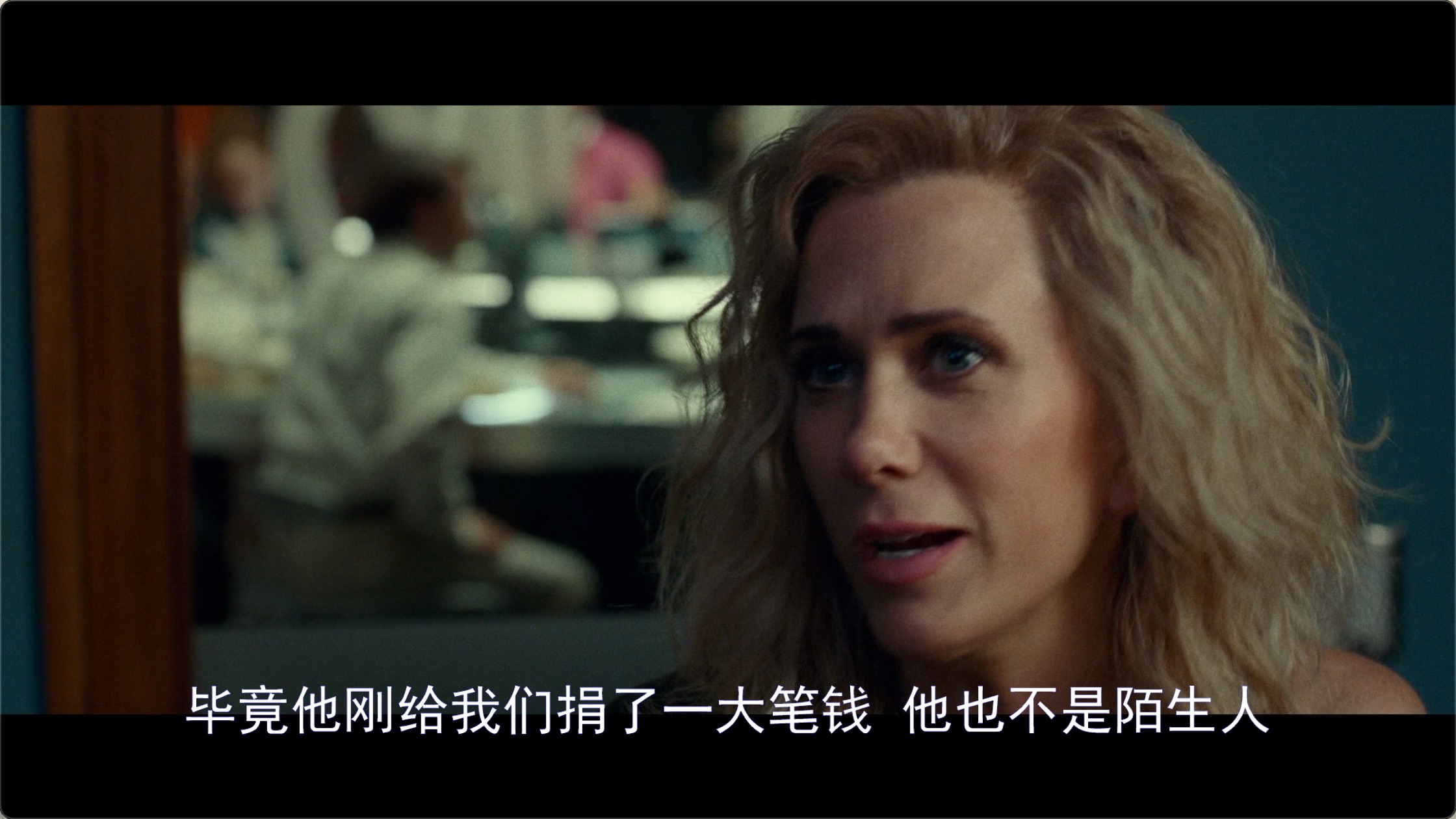
最近在使用新播放器内核播放一部《神奇女侠1984》的影片时,发现除了第一个英文字幕可以正常显示外,其他的内嵌字幕均无法切换成功。
调试后发现,是由于 FFmpeg 找不到其他字幕编码格式的解码器,codecID 是 94214,name 为:hdmv_pgs_subtitle。
既然找到了原因,那就着手解决吧!
(时间紧张(嫌我啰嗦)的朋友可以直接跳转到最终 解决方案)
第一步:开启解码器
我们是对 FFmpeg 进行了裁剪,先使用--disable-decoders configure 选项关闭了所有的解码器,然后再使用 --enable-decoder=xxx开启需要的解码器,目前是开启了必要的视频解码器,比如 h264、vp9、hevc、flv等,和所有的音频解码器,对于字幕的解码器是开启了ass、src、ssa、webvtt。
所以解码这一步很简单,只需要在 configure 选项里再加上--enable-decoder=pgssub,然后重新编译 FFmepg 就可以了。
第二步:渲染
开启解码器后,解码是没有问题了,可以到了渲染的时候就直接 crash 了。。。
这个 crash 和该字幕编码的全称有关,通过 ffmpeg -decoders | grep pgs 可以看到:
S….. pgssub HDMV Presentation Graphic Stream subtitles (codec hdmv_pgs_subtitle)
Graphic,表示该字幕编码是图形格式,解码出来的是图像数据,而我们之前所支持的字幕,全部都是文字格式,所以使用之前的渲染文字的方式去渲染解码出来的字幕数据,就 crash 了。
二A:探索 AVSubtitleRect 结构体
FFmpeg 在 avcodec.h 中定义了 AVSubtitle 结构体:
1
2
3
4
5
6
7
8
|
typedef struct AVSubtitle {
    uint16_t format; /* 0 = graphics */
    uint32_t start_display_time; /* relative to packet pts, in ms */
    uint32_t end_display_time; /* relative to packet pts, in ms */
    unsigned num_rects;
    AVSubtitleRect **rects;
    int64_t pts;    ///< Same as packet pts, in AV_TIME_BASE
} AVSubtitle;
|
但其实真正的字幕数据在 AVSubtitleRect **rects 这个数组里,通过 unsigned num_rects 可以确定 rects 的数量。但是到目前为止,我们还只是判断 num_rects > 0,然后取了第 0 个 rect。暂时还不知道多于一个 rect 的数据是什么时候使用的,难道是同时显示主副两个字幕时用的吗?
我们再看来看一下 AVSubtitleRect 结构体的定义:
 1
 2
 3
 4
 5
 6
 7
 8
 9
10
11
12
13
14
15
16
17
18
19
20
21
22
23
24
25
26
27
28
29
30
31
32
33
34
|
typedef struct AVSubtitleRect {
    int x;         ///< top left corner  of pict, undefined when pict is not set
    int y;         ///< top left corner  of pict, undefined when pict is not set
    int w;         ///< width            of pict, undefined when pict is not set
    int h;         ///< height           of pict, undefined when pict is not set
    int nb_colors; ///< number of colors in pict, undefined when pict is not set

#if FF_API_AVPICTURE
    /**
     * @deprecated unused
     */
    attribute_deprecated
    AVPicture pict;
#endif
    /**
     * data+linesize for the bitmap of this subtitle.
     * Can be set for text/ass as well once they are rendered.
     */
    uint8_t *data[4];
    int linesize[4];

    enum AVSubtitleType type;

    char *text;                     ///< 0 terminated plain UTF-8 text

    /**
     * 0 terminated ASS/SSA compatible event line.
     * The presentation of this is unaffected by the other values in this
     * struct.
     */
    char *ass;

    int flags;
} AVSubtitleRect;
|
其中,对于 AVSubtitleType type 值为 SUBTITLE_TEXT 的字幕,解码后的字幕文字存储在 char *text 里,我们之前也都是这么直接使用的(把 text 里存储的 C 字符串转换成 NSAttributedString 再绘制到 CIImage 里,然后再转换为 CVPixelBuffer,然后交给 OpenGL 去渲染。
但是对于 PGS 这种图形字幕,解码后 text 的值就是 NULL 了,所以肯定就会 crash 了,当时就发现,这个结构体里不是还有 AVPicture pict 成员吗?调试发现这个成员变量在解码后是有值的,第一想法当然就是直接使用这个成员变量保存的数据进行渲染,但是这个字段被标记为 attribute_deprecated 的了,别急,它的下边不还有两个成员吗?
1
2
3
4
5
6
|
    /**
     * data+linesize for the bitmap of this subtitle.
     * Can be set for text/ass as well once they are rendered.
     */
    uint8_t *data[4];
    int linesize[4];
|
仔细一看,这两个成员不正是结构体 AVPicture 里字义的吗?
 1
 2
 3
 4
 5
 6
 7
 8
 9
10
11
12
13
|
/**
 * Picture data structure.
 *
 * Up to four components can be stored into it, the last component is
 * alpha.
 * @deprecated use AVFrame or imgutils functions instead
 */
typedef struct AVPicture {
    attribute_deprecated
    uint8_t *data[AV_NUM_DATA_POINTERS];    ///< pointers to the image data planes
    attribute_deprecated
    int linesize[AV_NUM_DATA_POINTERS];     ///< number of bytes per line
} AVPicture;
|
* @deprecated unused
所以其实 AVPicture pict 并没有移除,只是把它里边保存的数据直接放到了 AVSubtitleRect 里而已,虽然调试发现 pict 和 data 还有 linesize 都是有值的,但是保险起见,我们还是决定使用 data + linesize 组合,因为可以看出,如果在编译 FFmpeg 时没有定义 FF_API_AVPICTURE 宏,那么根据就没有 pict 成员了。
二.B:确定像素格式
既然可以拿到解码后的图像数据了,我们直接根据像素数据生成对应的 CVPixelBuffer 不就搞定这个问题了,等一下,虽然拿到了原始像素数据,但是有个重要的信息还不知道,那就是这些数据所采用的像素格式是怎么样的,是 yuv420p,还是 RGBA8888 or RGBA4444 等等。
我们再来看一下 data 前边注释:
data+linesize for the bitmap of this subtitle.
可是这里只是说明这里存储的位图数据啊,也没有明确说明像素格式,只好到 FFmpeg 解码器的源码里找一下了。
刚开始在 libavcodec > pgssubdec.c 里并没有发现什么有用的线索,只是在同为图形字幕的 dvdsubdec.c 的函数 里发现以下一段代码:
 1
 2
 3
 4
 5
 6
 7
 8
 9
10
11
12
13
14
15
16
17
18
19
20
21
22
23
24
25
26
27
28
29
30
31
|
sub_header->rects = av_mallocz(sizeof(*sub_header->rects));
if (!sub_header->rects)
  goto fail;
sub_header->rects[0] = av_mallocz(sizeof(AVSubtitleRect));
if (!sub_header->rects[0])
  goto fail;
sub_header->num_rects = 1;
bitmap = sub_header->rects[0]->data[0] = av_malloc(w * h);
if (!bitmap)
  goto fail;
if (decode_rle(bitmap, w * 2, w, (h + 1) / 2,
               buf, offset1, buf_size, is_8bit) < 0)
  goto fail;
if (decode_rle(bitmap + w, w * 2, w, h / 2,
               buf, offset2, buf_size, is_8bit) < 0)
  goto fail;
sub_header->rects[0]->data[1] = av_mallocz(AVPALETTE_SIZE);
if (!sub_header->rects[0]->data[1])
  goto fail;
if (is_8bit) {
  if (!yuv_palette)
    goto fail;
  sub_header->rects[0]->nb_colors = 256;
  yuv_a_to_rgba(yuv_palette, alpha,
                (uint32_t *)sub_header->rects[0]->data[1],
                256);
} else {
  sub_header->rects[0]->nb_colors = 4;
  guess_palette(ctx, (uint32_t*)sub_header->rects[0]->data[1],
                0xffff00);
}
|
这段代码稍有点长,其中最主要的就是发现了这么一句代码:
1
2
3
|
yuv_a_to_rgba(yuv_palette, alpha,
                (uint32_t *)sub_header->rects[0]->data[1],
                256);
|
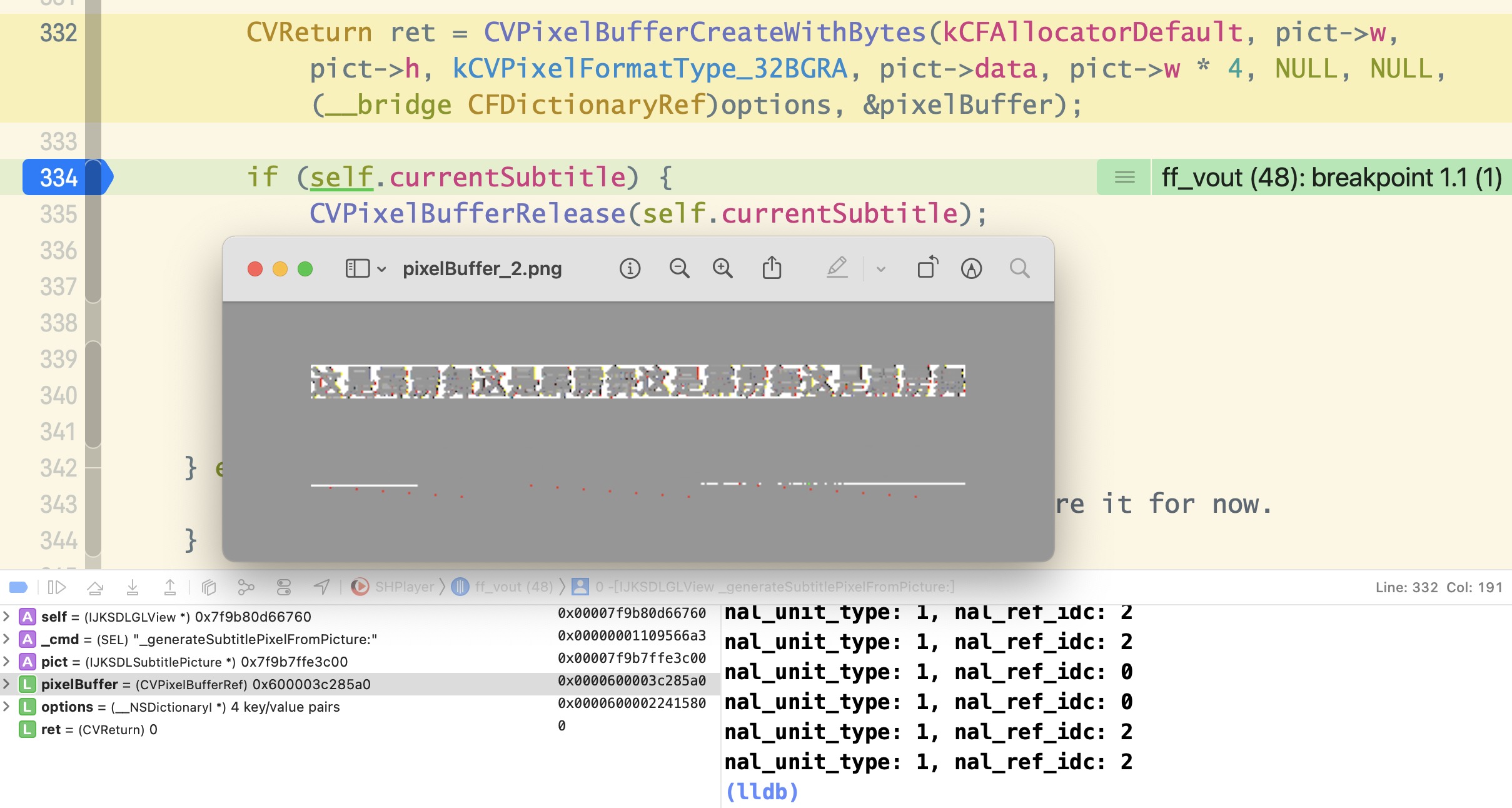
当时就认为,rect[0]->data 里存储的数据肯定是 rgba 像素格式了,既然对上层的定义只有 data + linesize,那么图形字幕采用的像素格式应该是统一的,所以第一次尝试,直接把 data 里的数据直接转换为 CVPixelBuffer,使用的是 CoreVideo 里的 CVPixelBufferCreateWithBytes。
然后出来的结果就是这样:

这显然是不对的,明显是重复了四次,而且下边明显多了一些多余的数据。
然后经过了一系列尝试也还是不对,要么得到的 pixelbuffer 是乱的,要么就是根本无法预览。没办法只好再去阅读一下 pgssubdec.c 的源码,了解到 PGS 字幕的原始数据是游程编码:
 1
 2
 3
 4
 5
 6
 7
 8
 9
10
11
12
|
/**
 * Decode the RLE data.
 *
 * The subtitle is stored as a Run Length Encoded image.
 *
 * @param avctx contains the current codec context
 * @param sub pointer to the processed subtitle data
 * @param buf pointer to the RLE data to process
 * @param buf_size size of the RLE data to process
 */
static int decode_rle(AVCodecContext *avctx, AVSubtitleRect *rect,
                      const uint8_t *buf, unsigned int buf_size)
|
然后在这个 decode_rle 的函数开头,就有这么一句分配内存的代码:
rect->data[0] = av_malloc_array(rect->w, rect->h);
这明显是对于 data[0] 分配了 width * height 个 bytes 的数据,所以肯定是 1 个像素占了 1 个 bytes 啊。
那难道 PGS 和 DVD 的不一样的,1 个像素占一个字节,8 bit 位深,难道是灰度图片、
不妨直接试一下,结果如下:
使用 kCVPixelFormatType_8Indexed 像素格式,CVPixelBufferCreateWithBytes 直接返回了 -6680,也就是 kCVReturnInvalidPixelFormat。
在 CoreVideo 的 CVPixelBuffer.h 开头就写明了:
1
2
3
4
|
/*
CoreVideo pixel format type constants.
CoreVideo does not provide support for all of these formats; this list just defines their names.
*/
|
这些像素格式虽然在这里列出来了,但并不全部支持的,返回 kCVReturnInvalidPixelFormat 就表示不支持。
换成 kCVPixelFormatType_8IndexedGray_WhiteIsZero 就支持了,但是仍然不对,无法预览(后续证实无法预览也可能是正常的,是因为 [api] -[CIImage initWithCVPixelBuffer:options:] failed because its pixel format 40 is not supported. 所以无法预览。但这里确实是不对的,确实不是灰度图片!)。
到这里就有些卡壳了,一个像素一个字节,8 bit 色深,不是灰度图片,只好再去 FFmpeg 找寻线索。。。
功夫不负有心人,最后终于在 pixfmt.h 的开头找到如下一段注释:
 1
 2
 3
 4
 5
 6
 7
 8
 9
10
11
12
13
14
15
16
17
18
19
20
21
22
23
24
25
26
27
28
29
|
/**
 * Pixel format.
 *
 * @note
 * AV_PIX_FMT_RGB32 is handled in an endian-specific manner. An RGBA
 * color is put together as:
 *  (A << 24) | (R << 16) | (G << 8) | B
 * This is stored as BGRA on little-endian CPU architectures and ARGB on
 * big-endian CPUs.
 *
 * @note
 * If the resolution is not a multiple of the chroma subsampling factor
 * then the chroma plane resolution must be rounded up.
 *
 * @par
 * When the pixel format is palettized RGB32 (AV_PIX_FMT_PAL8), the palettized
 * image data is stored in AVFrame.data[0]. The palette is transported in
 * AVFrame.data[1], is 1024 bytes long (256 4-byte entries) and is
 * formatted the same as in AV_PIX_FMT_RGB32 described above (i.e., it is
 * also endian-specific). Note also that the individual RGB32 palette
 * components stored in AVFrame.data[1] should be in the range 0..255.
 * This is important as many custom PAL8 video codecs that were designed
 * to run on the IBM VGA graphics adapter use 6-bit palette components.
 *
 * @par
 * For all the 8 bits per pixel formats, an RGB32 palette is in data[1] like
 * for pal8. This palette is filled in automatically by the function
 * allocating the picture.
 */
|
看到这里才恍然大悟, rect->data[0] 里确实存储的是 RGB32 的图片,但不是 RGBA8888 或者 BGRA8888,而是
palettized RGB32 (AV_PIX_FMT_PAL8)。
到了这一步就好办了,在拷贝图像数据的同时,把 PAL8 的转换成 BGRA8888,代码如下:
 1
 2
 3
 4
 5
 6
 7
 8
 9
10
11
12
13
14
15
16
17
18
19
20
21
22
23
24
25
26
27
28
29
30
31
32
33
34
|
static uint32_t* copy_pal8_to_bgra(const AVSubtitleRect* rect)
{
    size_t size = rect->w * rect->h * 4; /* times 4 because 4 bytes per pixel */
    uint32_t colours[256];
    uint32_t *buff = NULL;

    buff = av_malloc(size);
    if (buff == NULL) {
        ALOGE("Error allocating memory for subtitle bitmap.\n");
        return NULL;
    }

    for (int i = 0; i < 256; ++i) {
        /* Colour conversion. */
        int idx = i * 4; /* again, 4 bytes per pixel */
        uint8_t r = rect->data[1][idx],
        g = rect->data[1][idx + 1],
        b = rect->data[1][idx + 2],
        a = rect->data[1][idx + 3];
        colours[i] = (b << 24) | (g << 16) | (r << 8) | a;
    }

    for (int y = 0; y < rect->h; ++y) {
        for (int x = 0; x < rect->w; ++x) {
            /* 1 byte per pixel */
            int coordinate = x + y * rect->linesize[0];
            /* 32bpp color table */
            int idx = rect->data[0][coordinate];
            buff[x + (y * rect->w)] = colours[idx];
        }
    }

    return buff;
}
|
这里可以使用自己写的 copy_pal8_to_bgra,应该也可以使用 FFmpeg imgutils 提供的方法,但是貌似 FFmpeg 提供的方法在转换像素格式时每次还需要提供一个 context,简单起见,这里就使用自定义的方法,简单粗暴有效 😄
然后通过 CoreVideo 的转换为 CVPixelBuffer:
1
|
CVPixelBufferCreateWithBytes(kCFAllocatorDefault, pict->w, pict->h, kCVPixelFormatType_32BGRA, pict->data, pict->w * 4, NULL, NULL, (__bridge CFDictionaryRef)options, &pixelBuffer);
|
预览的结果如下图所示:
二.C:提交给 OpenGL 渲染
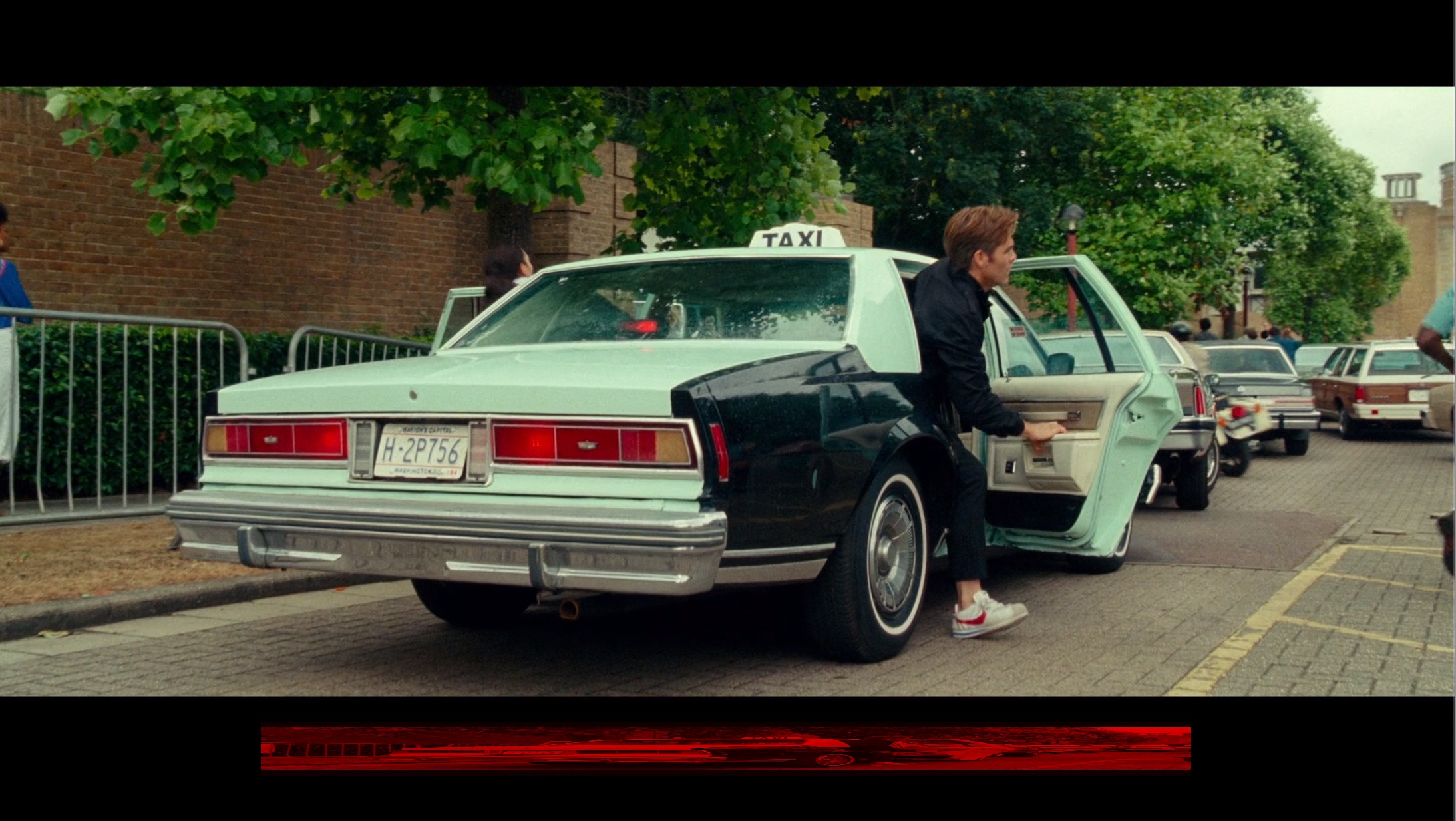
经过上边第二步,明明已经得到了正确的 pixelBuffer,但是对接了之前文字字幕的渲染方法进行渲染时,却得到了如下画面:
经过查看日志发现是在获取 pixelBuffer 的 IOSurface 时失败了:
1
2
3
4
5
6
|
IOSurfaceRef surface = CVPixelBufferGetIOSurface(pixel_buffer);

if (!surface) {
  printf("CVPixelBuffer has no IOSurface\n");
  return GL_FALSE;
}
|
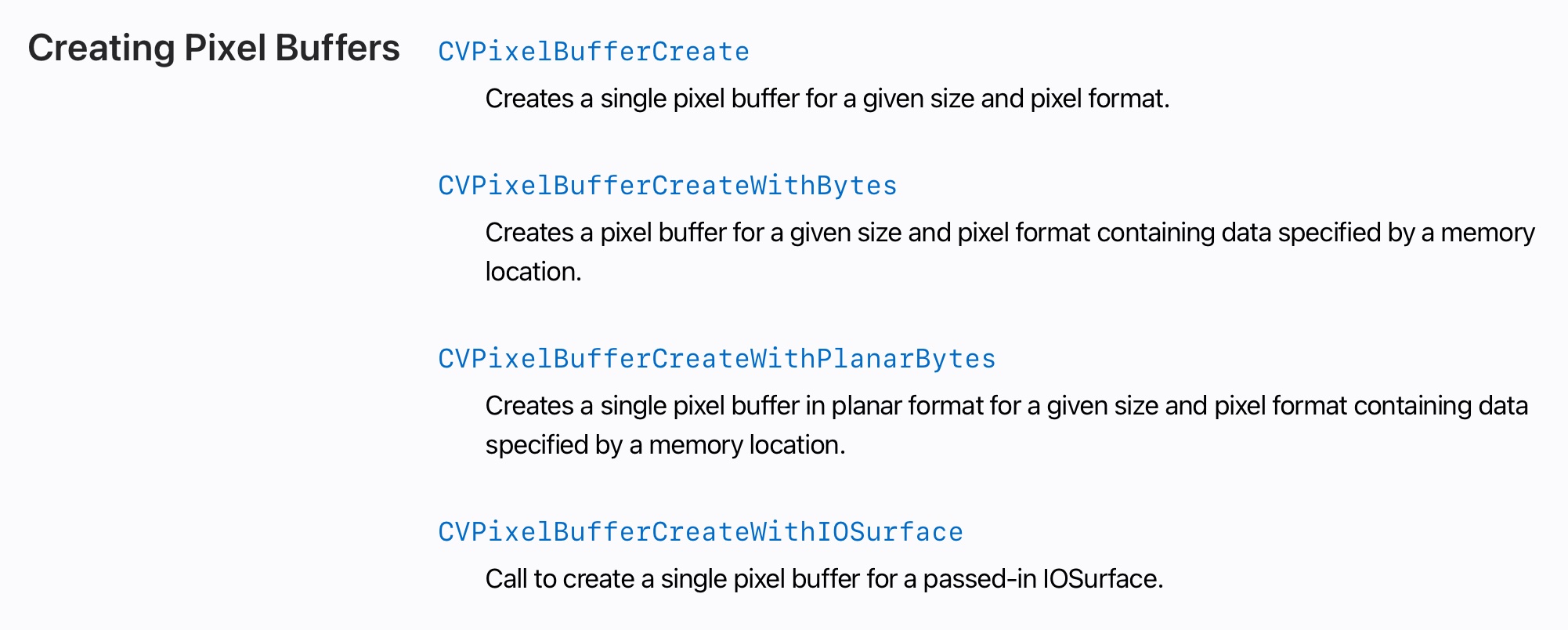
经过对比,文字字幕是通过 CVPixelBufferCreate 而不是 CVPixelBufferCreateWithBytes 创建出来的,查阅 Apple 的文档发现 CVPixelBuffer 有以下四种创建的方式:
但还是看不出来为什么第二个方法和和第一个方法创建出来的 buffer 有什么不同。只好在网上又搜索了一番,直到找到了这篇在 Apple Developer 网站的问答
,其中重要的一段话:
Important: You cannot use CVPixelBufferCreateWithBytes() or CVPixelBufferCreateWithPlanarBytes() with kCVPixelBufferIOSurfacePropertiesKey. Calling CVPixelBufferCreateWithBytes() or CVPixelBufferCreateWithPlanarBytes() will result in CVPixelBuffers that are not IOSurface-backed and thus failure in creating CVOpenGLESTextures from these pixel buffers.
难怪即使我添加了 kCVPixelBufferIOSurfacePropertiesKey 作为选项,通过 CVPixelBufferCreateWithBytes 去创建出来的 pixelBuffer 也还是会找不到 IOSurface ,但想不明白为什么 Apple 不大大方方地在文档里写清楚,让我一通搜索。得,想偷个懒还没偷成,只好乖乖使用第一个 CVPixelBufferCreate 。
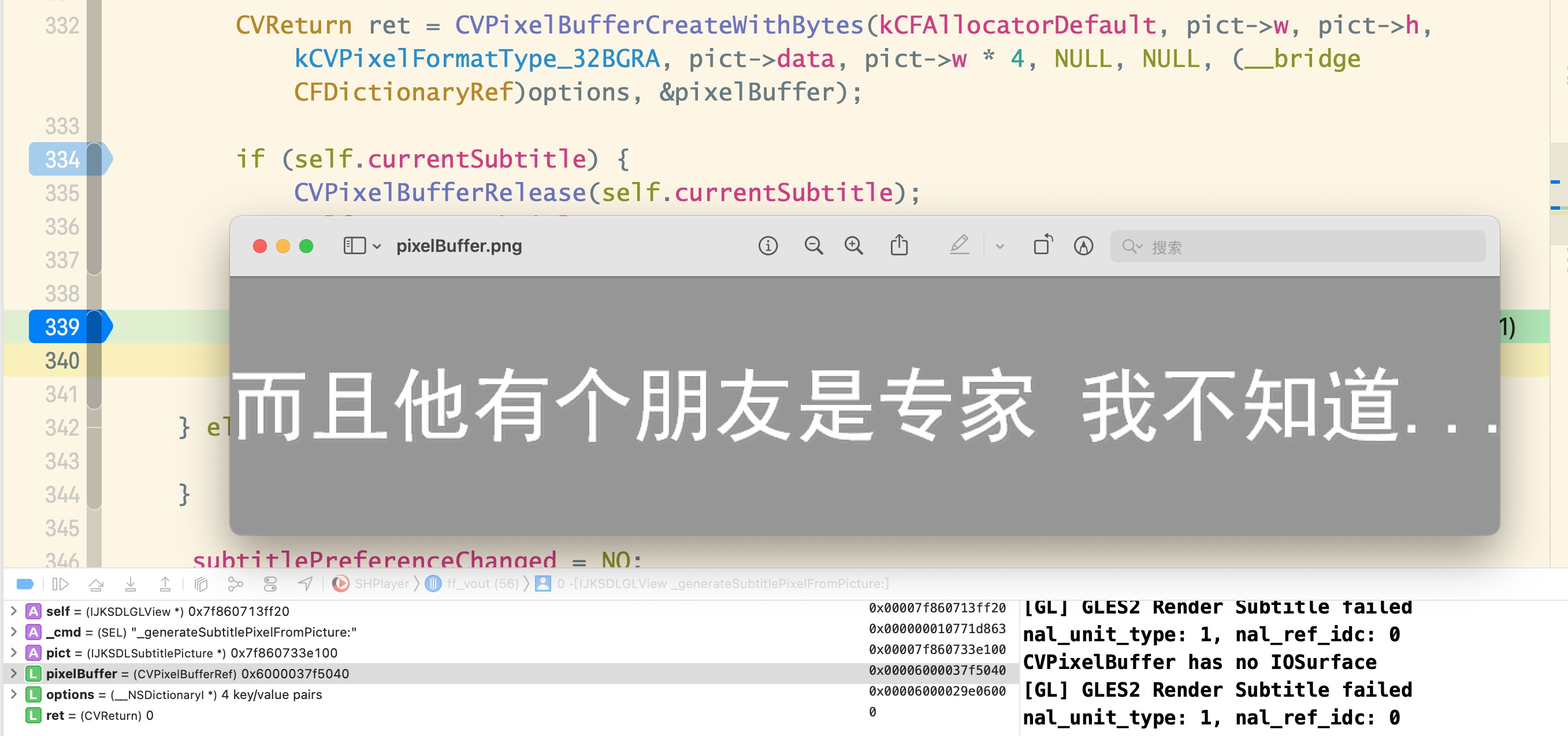
但是使用 CVPixelBufferCreate 创建出来的 buffer,如何把像素数据写入进去呢?最直接的自然就是使用 memcpy 把二进制数据直接 copy 进去,结果有的字幕的正确的,有的就会像下边图片一样,是歪的,甚至像图二一样是乱的:
问题出在哪里呢?
既然直接拷贝内存不可行,那么使用 FFmpeg imgutils 提供的 av_image_copy 呢?实践发现仍然是上面的结果,有的正常,有的是歪的,有的直接就花了。
就在一筹莫展的时候,一位有相关经验的同事指出了问题所在,字幕歪了肯定是linesize不正确导致的,然后试了一下果然如此,av_image_copy传入的 dst_linesizes 不能直接使用原始数据的linesize,因为刚刚创建好的 CVPixelBuffer 的 linesize 可能是和原始数据相等,也可能不相等,好吧,只能认为是这是 CoreVideo 做的平台相关的优化了。。。
最终代码如下:
 1
 2
 3
 4
 5
 6
 7
 8
 9
10
11
12
13
14
15
16
17
18
19
20
21
22
23
24
|
CVPixelBufferRef pixelBuffer = NULL;
NSDictionary *options = @{
  (__bridge NSString*)kCVPixelBufferOpenGLCompatibilityKey : @YES,
  (__bridge NSString*)kCVPixelBufferIOSurfacePropertiesKey : [NSDictionary dictionary]
};

CVReturn ret = CVPixelBufferCreate(kCFAllocatorDefault, pict->w, pict->h, kCVPixelFormatType_32BGRA, (__bridge CFDictionaryRef)options, &pixelBuffer);

NSParameterAssert(ret == kCVReturnSuccess && pixelBuffer != NULL);

CVPixelBufferLockBaseAddress(pixelBuffer, 0);

uint8_t *baseAddress = CVPixelBufferGetBaseAddress(pixelBuffer);
int linesize = (int)CVPixelBufferGetBytesPerRow(pixelBuffer);

uint8_t *dst_data[4] = {baseAddress,NULL,NULL,NULL};
int dst_linesizes[4] = {linesize,0,0,0};

const uint8_t *src_data[4] = {pict->pixels,NULL,NULL,NULL};
const int src_linesizes[4] = {pict->linesize,0,0,0};

av_image_copy(dst_data, dst_linesizes, src_data, src_linesizes, AV_PIX_FMT_BGRA, pict->w, pict->h);

CVPixelBufferUnlockBaseAddress(pixelBuffer, 0);
|
至此 PGS 格式的字幕也终于支持了,对接上了原本的文字字幕渲染流程,可以正常解码+渲染了:
小结
configure 阶段开启 PGS decoder,重新编译 FFmpeg 库以支持 PGS 字幕的解码;- FFmpeg 对于图形格式的字幕,解码出的数据放在
AVSubtitleRect 结构体里的 data 和 linesize 成员变量里,像素格式是 AV_PIX_FMT_PAL8;
- 使用
CVPixelBufferCreate 创建IOSurface based的pixelBuffer,使用 av_image_copy把像素数据 copy 到新创建的 buffer 里,注意 dst_linesize 要通过CVPixelBufferGetBytesPerRow从新创建的buffer 里取出,而不能想当然的认为和被 copy 的数值相等;
- 对接原有流程,调用
CGLTexImageIOSurface2D 把 CVPixelBuffer里的数据提交给 OpenGL 进行渲染。
参考资料
- FFmpeg: libavutil/pixfmt.h File Reference
- How to convert from AV_PIX_FMT_BGRA to PIX_FMT_PAL8?
- Creating IOSurface-backed CVPixelBuffers for accessing video data in OpenGL ES